How to make a custom hero grid in Dota 2
A custom hero grid is a hero picker where heroes sit in your own blocks instead of one long list: mains, a pool for every position, counters, bans. Here is how to build one, from an empty field to a grid in the game.
Where the hero grid is in the game
In Dota, open the Heroes tab in the top bar. At the bottom left there is the “Sort:” list with the game's standard layouts and your own grids. The same grid shows up on the hero pick screen in a match, so you set the layout once and use it every game.
You can build a grid inside the game by dragging heroes into categories, but the in-game editor is slow for anything big: categories go in one by one, and it knows nothing about dot drawings or lettering. The grids with portraits and big nicknames you see in videos are made outside the game — which is what this site is for.
Three ways to start
- From scratch. An empty grid in the editor: you place hero blocks and name them — “Mains”, “Carry”, “Never pick”.
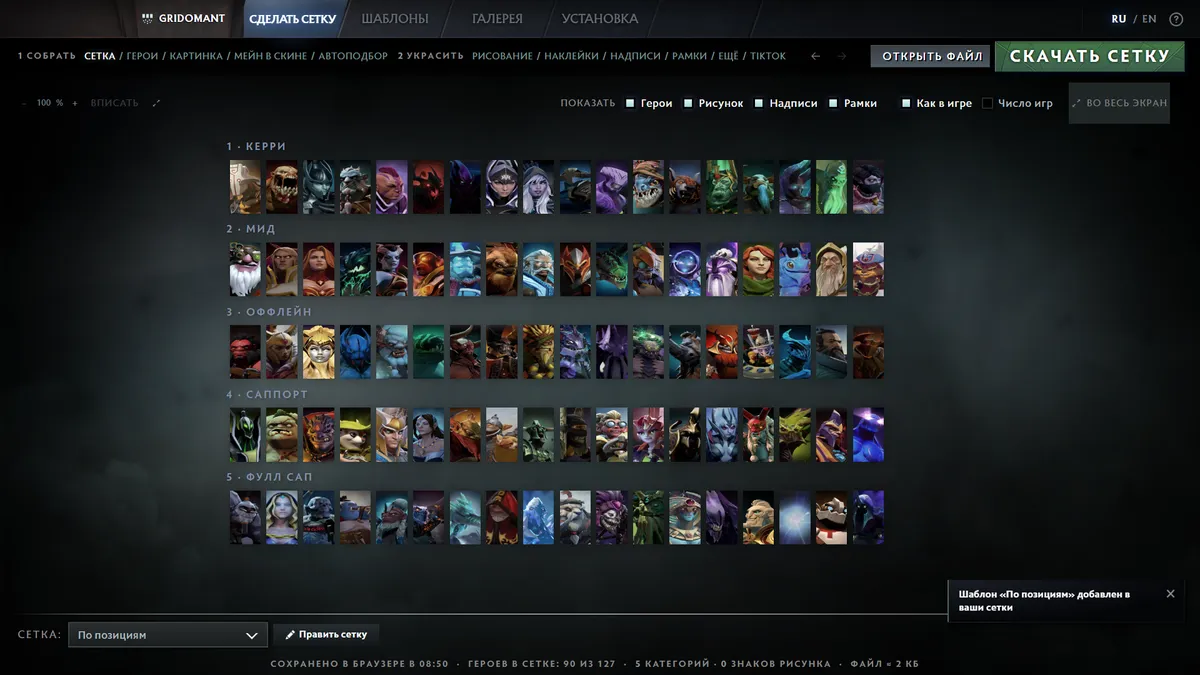
- From a template. The templates page has 47 ready grids: by position, by attribute, for beginners, gothic, heroes in arcanas. “Take it” opens a copy in the editor.
- From a picture. Picture to dots: upload art or a photo, the site draws it with dots right inside the grid and lays the heroes out around it.
Step by step
- Place the blocks. A block is a grid category with a name and heroes. Blocks move with the mouse and snap to their neighbours; resize them by the corner.
- Fill them with heroes. Add heroes through the same kind of picker as in the game. To skip the typing, “Auto-pick” (Pick by stats) fills blocks with heroes from OpenDota stats for a position and rank — Meta, Wins or Popular.
- Decorate if you like. The Decorate step has Drawing, Stickers, Text and Frames. All of it is made of characters from the game font and looks the same in Dota.
- Download the file. “Download grid” → “Your grid is ready” → “Download”. Your old grids stay if, in the “Your grid is ready” window, you press “Load my file” and pick your current
hero_grid_config.json: the downloaded file is your file as it was plus the new grid. - Put it into the game. Close Dota and replace
hero_grid_config.jsoninSteam → userdata → account number → 570 → remote → cfg. Paths for Windows, macOS and Linux are in the install guide.
How to lay heroes out
The layout that works best is by position: five rows from carry to hard support, each holding the heroes you actually play in that role. During the draft your eyes go straight to your row instead of the whole list. A ready version is the grid by position 1–5.
If you play a narrow pool, make a big “Mains” block for five or six heroes and small “Situational” and “Bans” blocks. New players can start with the Beginner template — only heroes Valve rates as easiest. Want every hero at hand? Take the attributes layout: like the game's default grid, but with bigger portraits.
You can keep several grids and switch between them in the same “Sort:” list — a working one by role and a pretty one for streams or clips.
Questions and answers
Can I get banned for a custom grid?
No. Hero grids are a standard game feature: Dota writes this very file itself when you rearrange heroes in the Heroes tab. The site only changes that file and never touches game files.
How do I get my old grid back?
Before replacing, rename your hero_grid_config.json to hero_grid_config.old.json. To go back, close Dota, delete the new file and rename the copy back.